


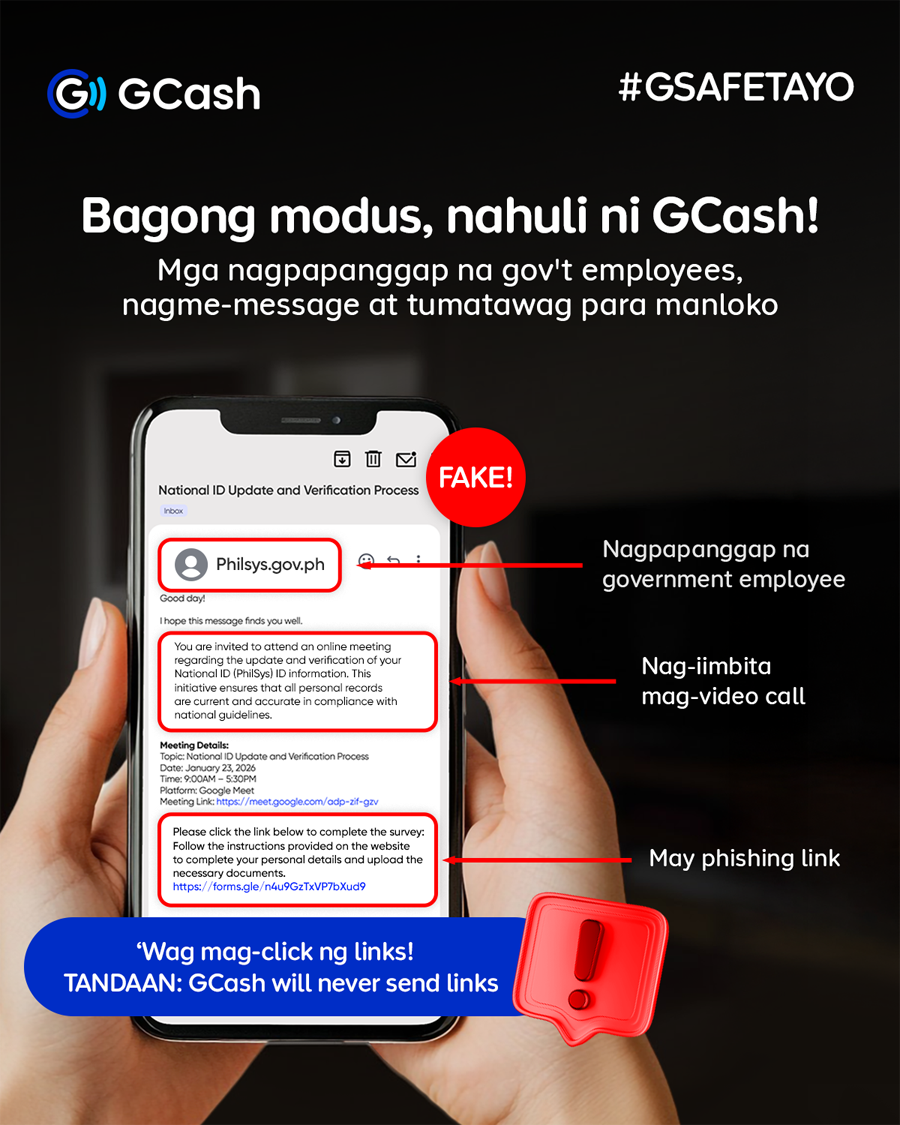
GCash warns users to beware of fake government IDs, suspicious video calls, screenshare requests, and bogus app downloads from unfamiliar websites.
GCash is warning the public against new scam tactics that involve fraudsters posing as representatives of legitimate organizations or government agencies. Scammers are employing increasingly sophisticated tactics, including phone calls, emails, fake apps, and staged online video meetings, to pressure victims into revealing their account credentials, resulting in unauthorized access and financial loss.
Here are new tactics that scammers are using to target victims, and what to do in case you encounter these:
Fake eGovPH and PhilSys representatives
- Scammers will pretend to be from a company or government agency and say your National ID is ready or needs verification.
- They will ask you to join a Google Meet call, send a link, and tell you to download a fake app and share your screen.
- By watching your screen, they will steal your OTPs, PINs, and passwords, then access your banking and e-wallet accounts.
Fake promos, expiring rewards, and offers that are too good to be true
- Scammers will pretend to be customer service or company representatives and contact you about rewards, points, or promos.
- They create urgency and say an OTP is needed to redeem the offer or secure the reward.
- Some scammers will pretend to be from GCash or a bank and offer account verification, cashback, or security updates.
How to protect yourself
- Ignore unexpected calls or meeting invites about account or ID verification. If pressured to act fast, hang up or decline immediately.
- Never share your OTP, MPIN, passwords, or screen during logins or transactions.
- Do not download apps from links sent by email or text: use the official Apple App Store, Google Play, or Huawei AppGallery.
Report suspicious activity and stay informed
GCash users can report suspected scams through the GCash Help Center at help.gcash.com by chatting with Gigi and selecting “I want to report a scam”, or by calling the official GCash hotline at 2882.
Users may also report incidents to the PNP Anti-Cybercrime Group at (02) 8414-1560 / 0998-598-8116 or acg@pnp.gov.ph, and to the Cybercrime Investigation and Coordinating Center (CICC) via hotline 1326, mobile 0991-481-4225, or report@cicc.gov.ph.
GCash actively monitors and blocks suspicious activity, takes down reported scam links and accounts, and works closely with law enforcement and government agencies to protect the public.
For more information and updates on cybersecurity, visit the PNP ACG Facebook Page and the GCash website at https://www.gcash.com. The GCash app is available for free on Google Play Store, Apple App Store or Huawei App Gallery. For safety reminders and updates, visit the official Facebook page at GCash Official.
